

Indicator · 8 periods
TWR / TTG Levels
Eight periods from 5 minutes to monthly. Level distances and notifications when price enters a proximity zone.
DLL compatibility with your ATAS version needs checking.
50USDTone payment
Scalping software · Windows & MT5
Manage positions with hotkeys and macros. Find crypto momentum. Work around levels. Four ARTIO programs built for the way you trade.
Artem / ARTIO Creator-built software. For your workstation.
ARTIO / BUILT FOR YOUR TERMINAL
A level map. The scale of the day’s move. A composed trading desk. Choose what your ATAS or Tiger.Trade workflow is missing.
ARTIO / ATAS

Indicator · 8 periods
Eight periods from 5 minutes to monthly. Level distances and notifications when price enters a proximity zone.
DLL compatibility with your ATAS version needs checking.
Indicator · daily range
A filtered average of completed-session ranges, the day’s range used and 80/100% references.
A High−Low calculation; calendar filters cover 2026.
Workspace · .ws
An author-built Nasdaq layout: charts, panels and analytics settings as a starting point for your desk.
The .ws only. TWR, ATR and the ATAS licence are separate.
ARTIO / TIGER.TRADE

Indicator · 5 periods
Five higher timeframes, price labels and a distance table. Keep the context on one chart.
Executing notifications is disabled in v17.13.
Workspaces · 6 .ttc files
Six configurations: the main desk, BTC / ETH / SOL, altcoins and listings. Choose a starting point for your task.
Configurations only; additional DLLs excluded. The Live setting is retained: first import with trading disabled.
ARTIO / TRADING SOFTWARE
Manage positions. Find momentum. Trade around levels. Choose the program for your workflow — and see how it works.
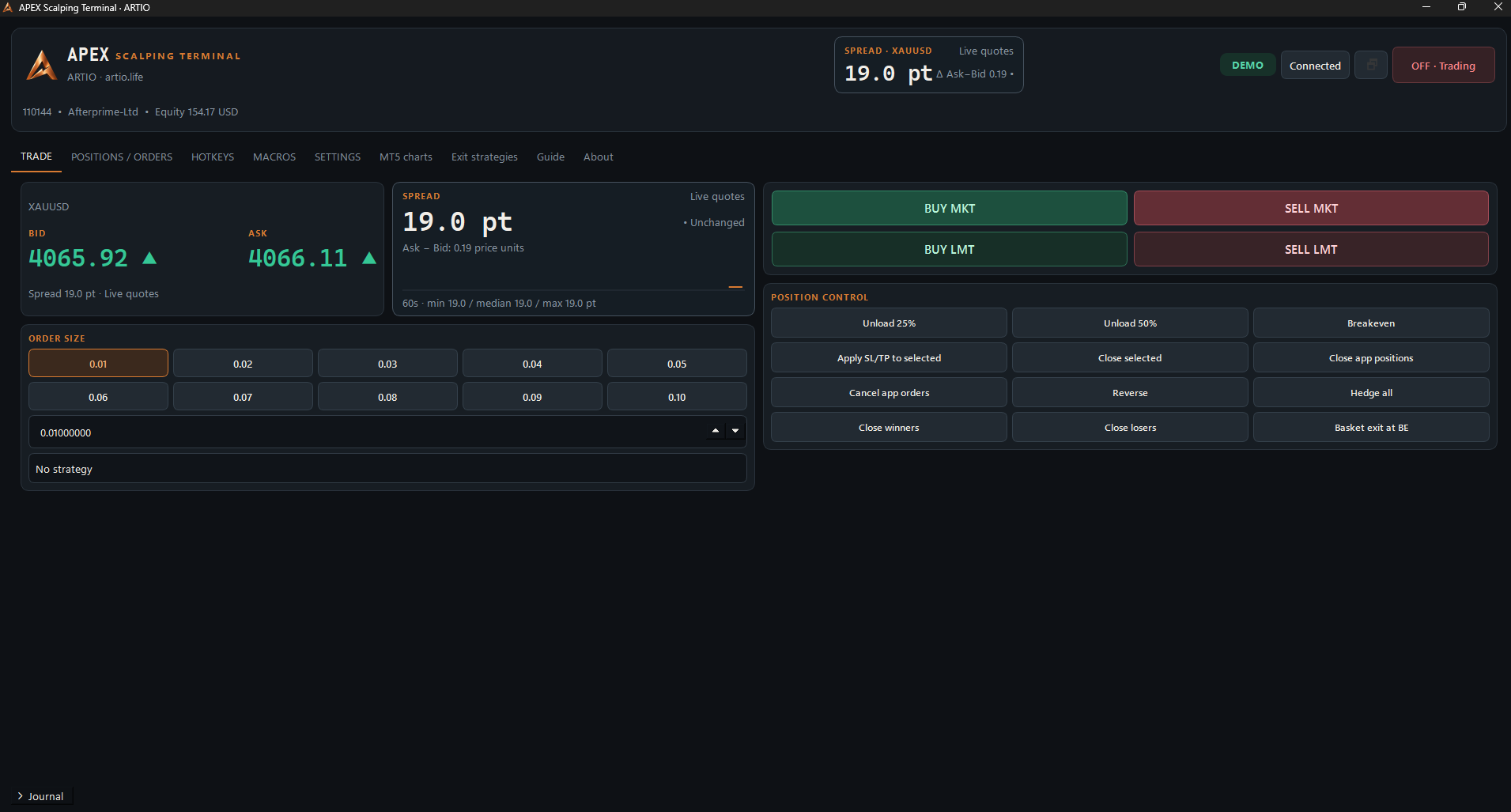 Real program interface ↗
Windows + MT5
Gold scalping. Full position control.
Hotkeys, macros, baskets and exit strategies in a dedicated Windows application for MT5.
XAUUSD · Manual control
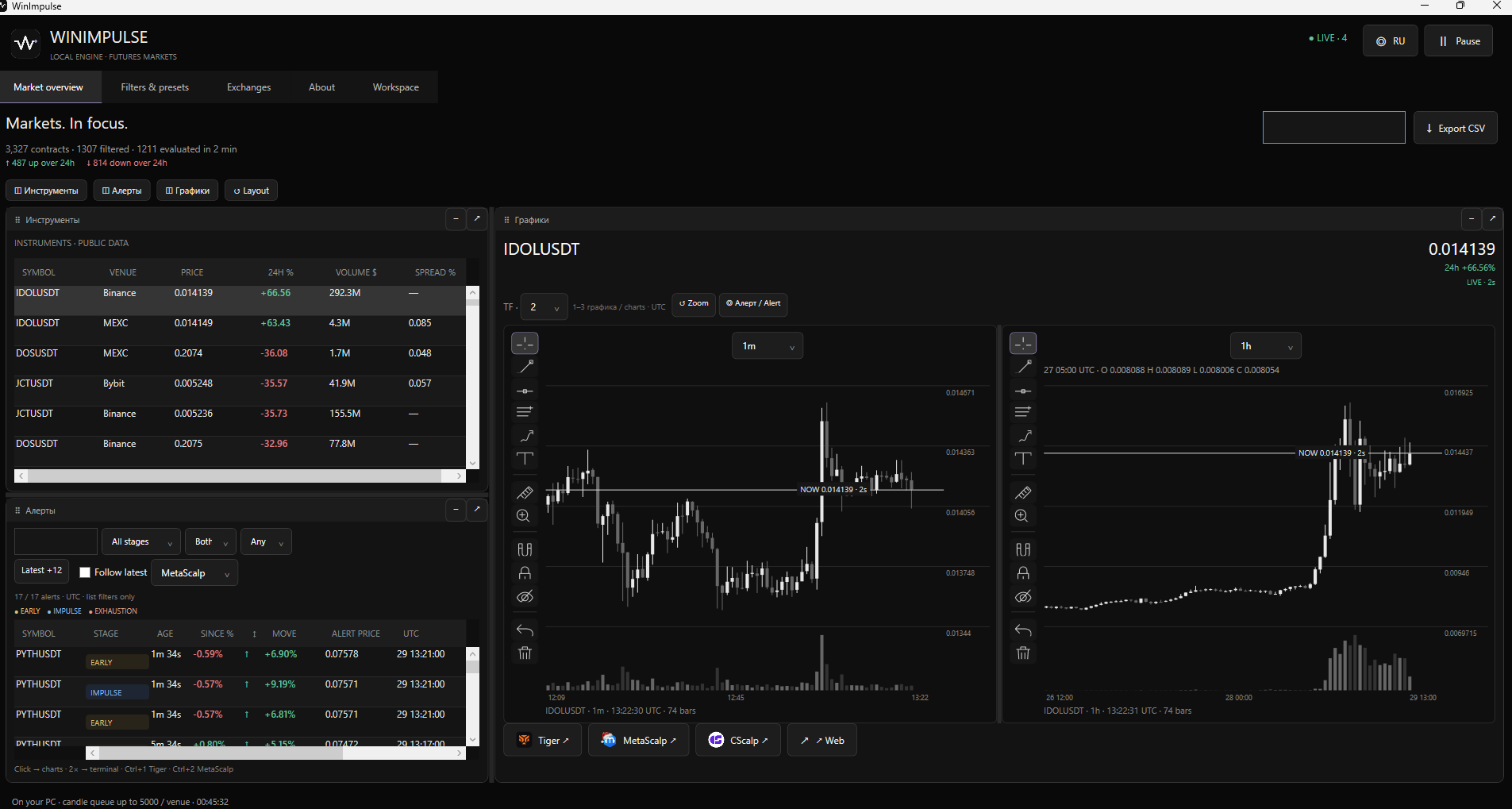 Real program interface ↗
Windows x64
Find momentum. Move to execution.
Price and volume filters, alerts and charts. Send a symbol to Tiger.Trade, MetaScalp or CScalp.
Crypto futures · Screener
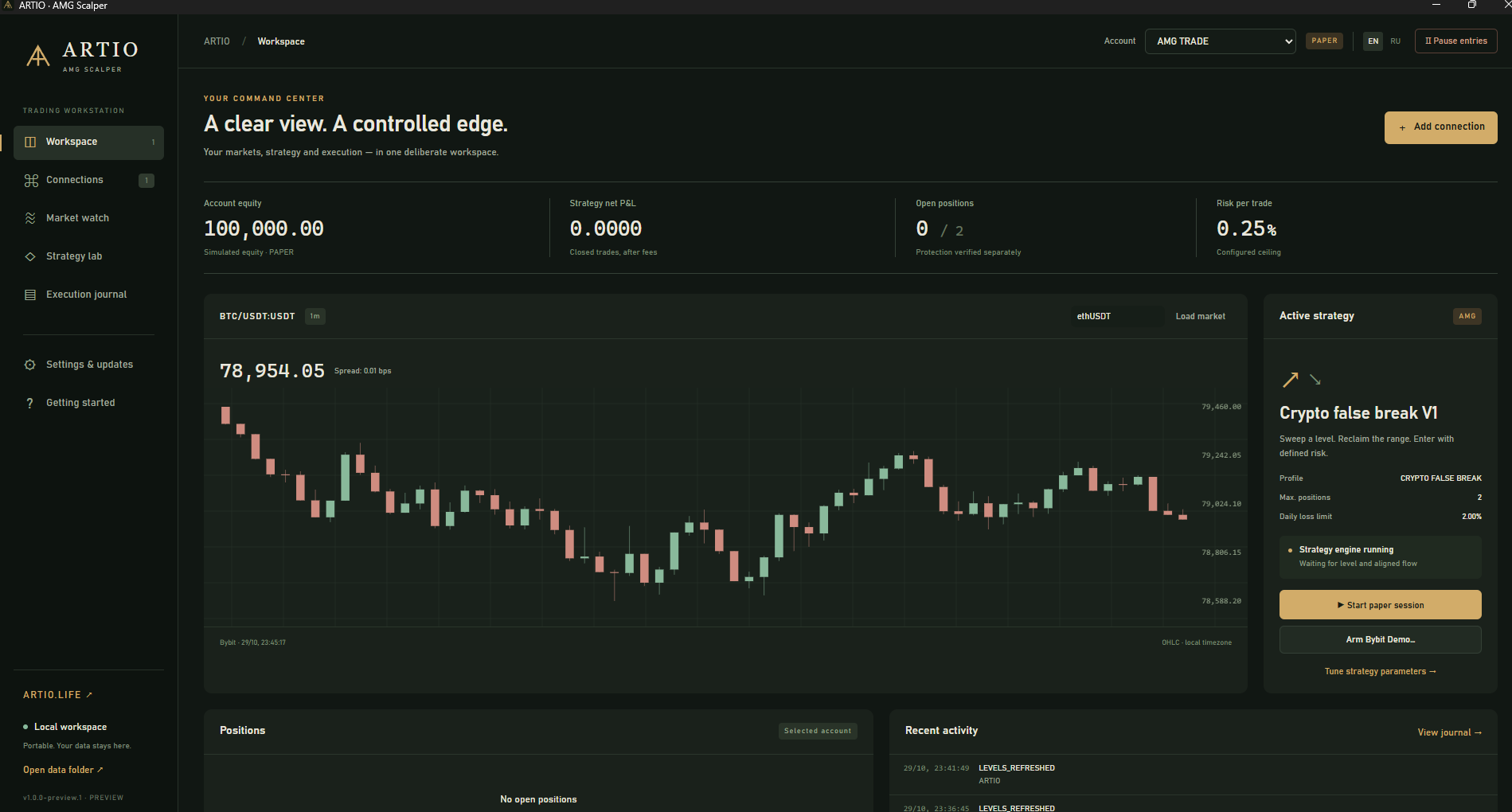 Real program interface ↗
Windows x64 · Preview
The level. The breakout. The false break.
Strategies, risk settings and an execution journal in one workspace. Start with Paper and Demo.
Algorithms · Windows · Preview
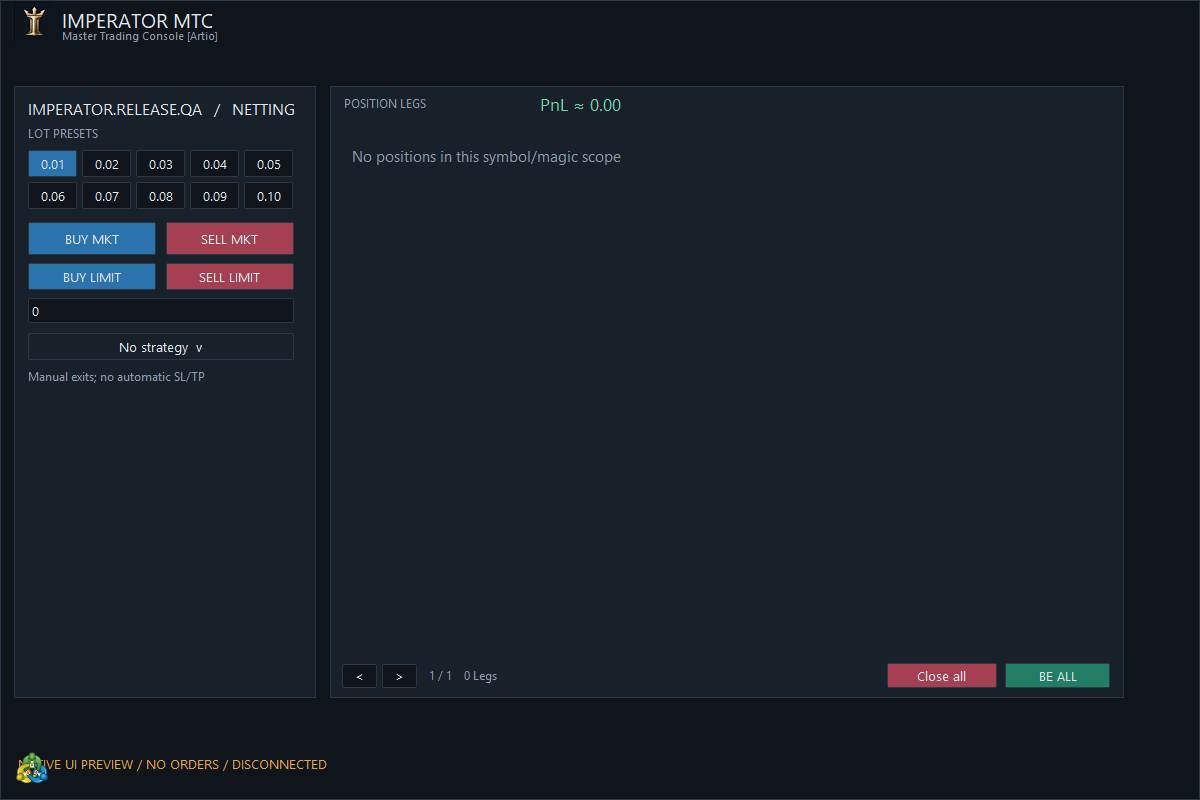 Real program interface ↗
MetaTrader 5 · EA panel
Your MetaTrader. Your command center.
An in-terminal MT5 console: position control, hotkeys, macros and trade management settings.
Console inside MetaTrader 5
See each program page for delivery contents, requirements and limitations. Payment availability is checked at checkout; files unlock in your account after incoming funds are verified.

ARTIO / FREE TRADINGVIEW INDICATORS
14 creator-built indicators: levels, scanners, volume, estimated CVD, open interest and funding. Choose your task and open the tool on TradingView.
ARTIO / ACTUAL CHARTS
Actual captures · 13 Nov 2026 · Russian interface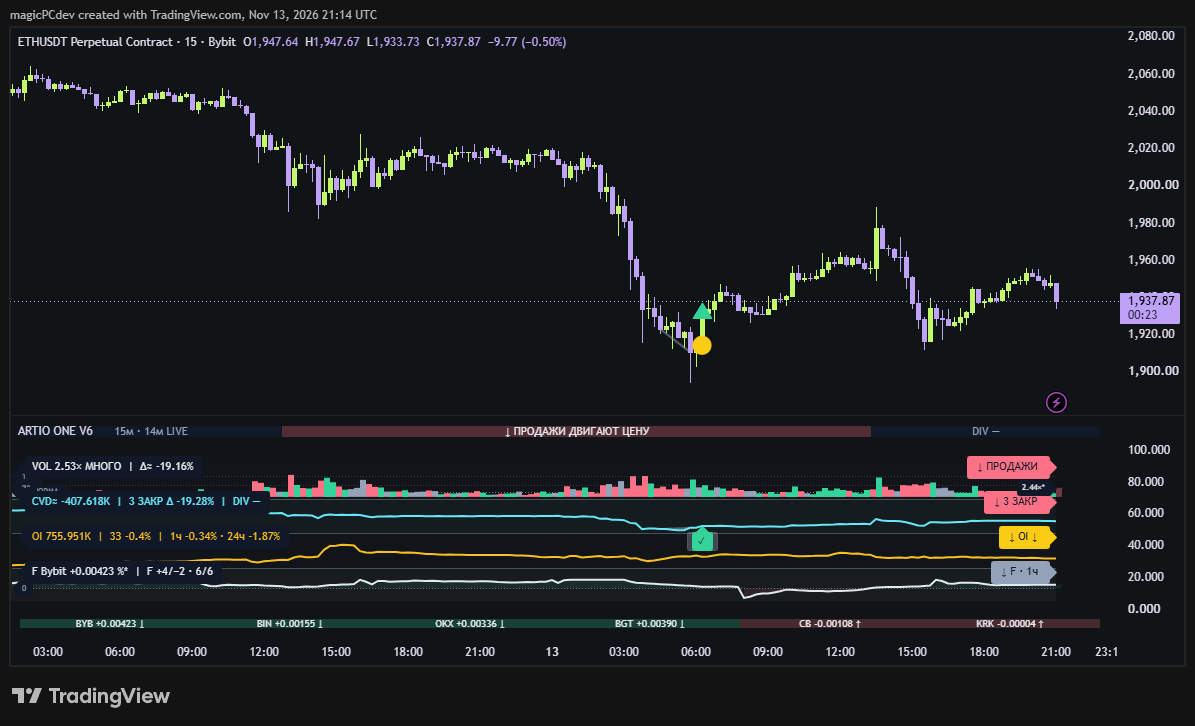
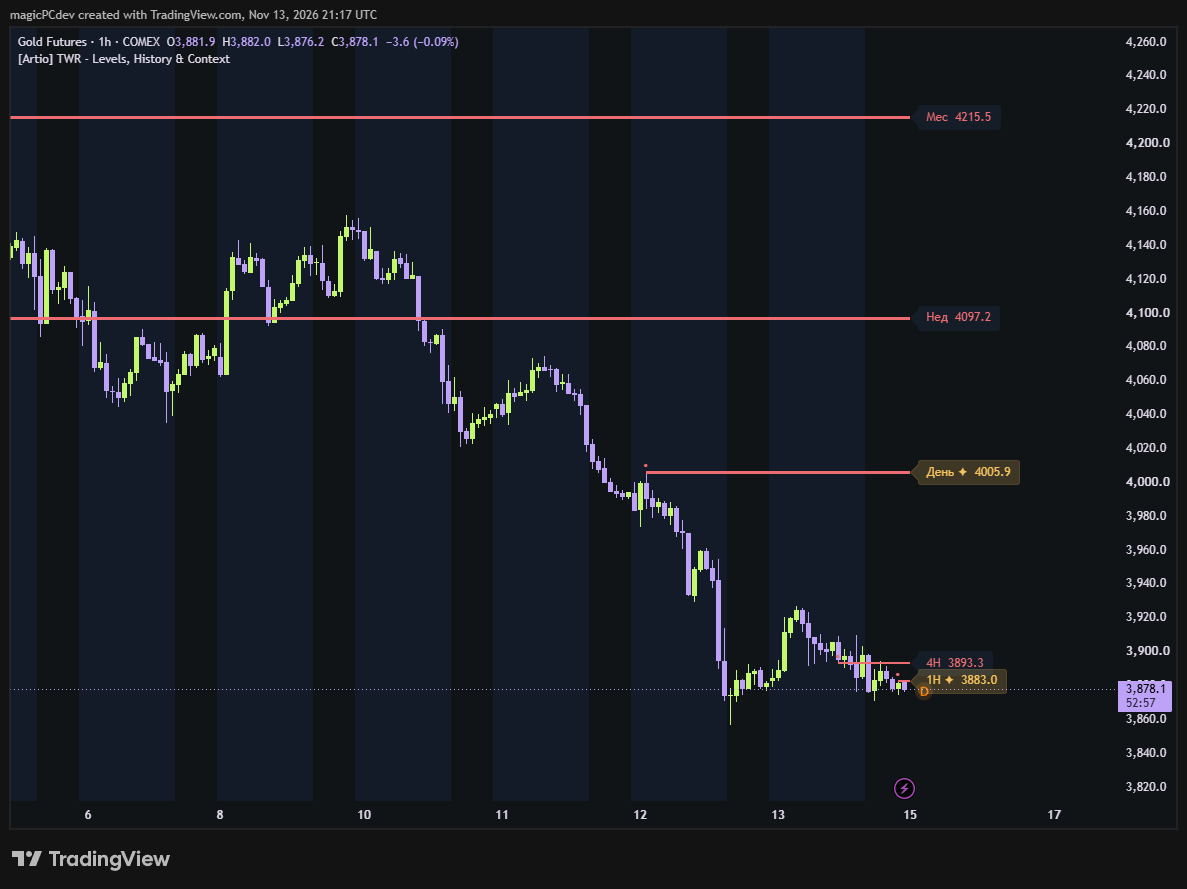
The scripts are free to use. TradingView plans and paid market-data feeds are separate where required. Check each tool’s page for its conditions.
ARTIO tools
Levels, daily range and a market overview. Choose your task, platform and edition.
Levels in your trading platform.
TWR combines multi-timeframe levels, staircase histories and context for distance, age and observed interactions. Compare where price sits now with how the structure evolved, without projecting today’s lines into the past.
ATAS
One indicator for your selected platform
Keep the daily range in view.
Daily range, movement already covered and visual risk references on one chart.
MT5
One indicator for your selected platform
Market signals in one view.
A signal feed organized by sectors, timeframe alignment and market waves.
Plan price · Scalping Life Pro
SSL Radar is included in this plan.
See the purchase page for the final price and access terms.
Free publications
Real charts from ARTIO’s free TradingView publications.
Free / TradingView
Levels and zones for reading market structure.
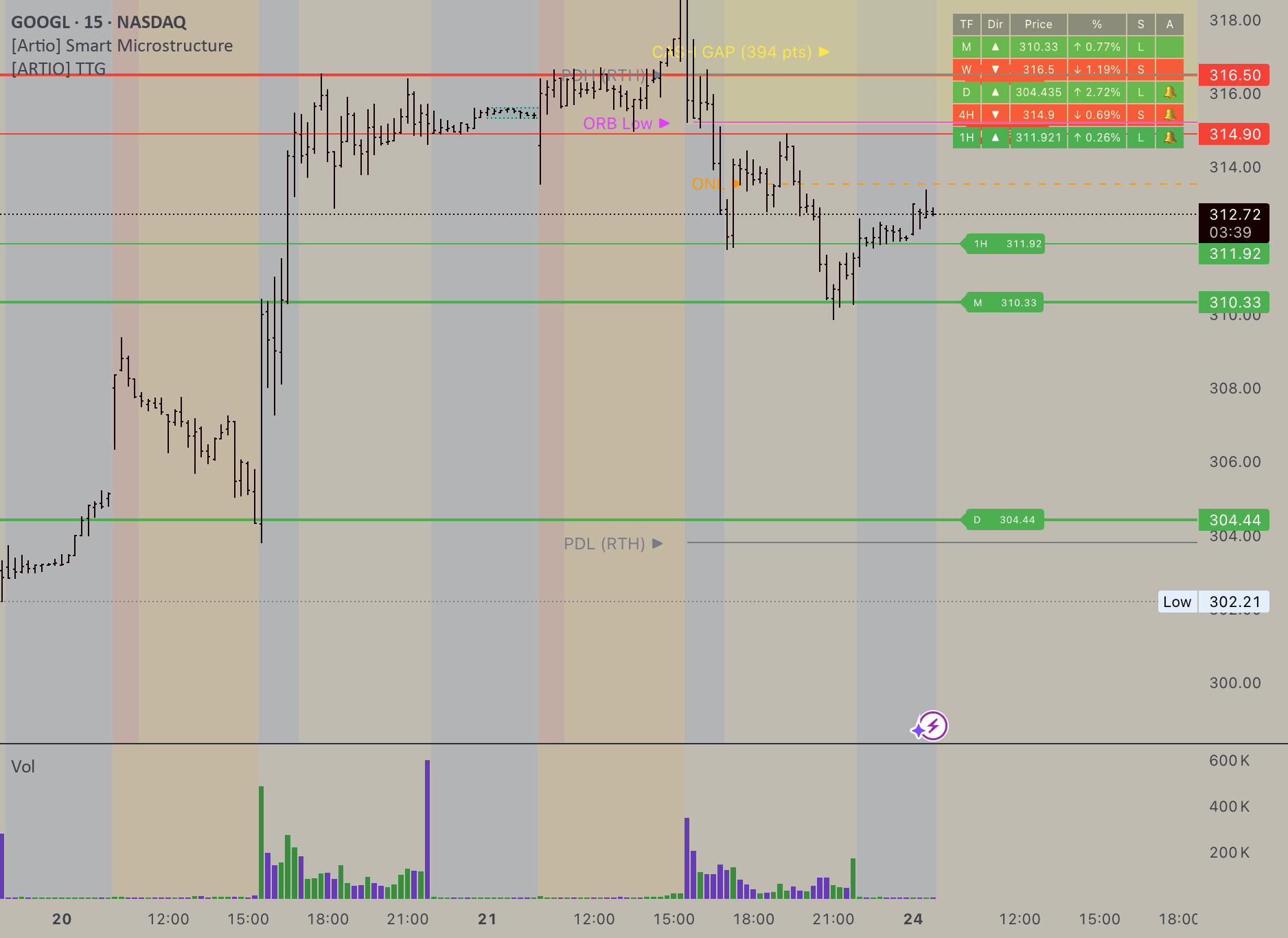
Free / TradingView
Daily ATR and the range already covered, on your chart.
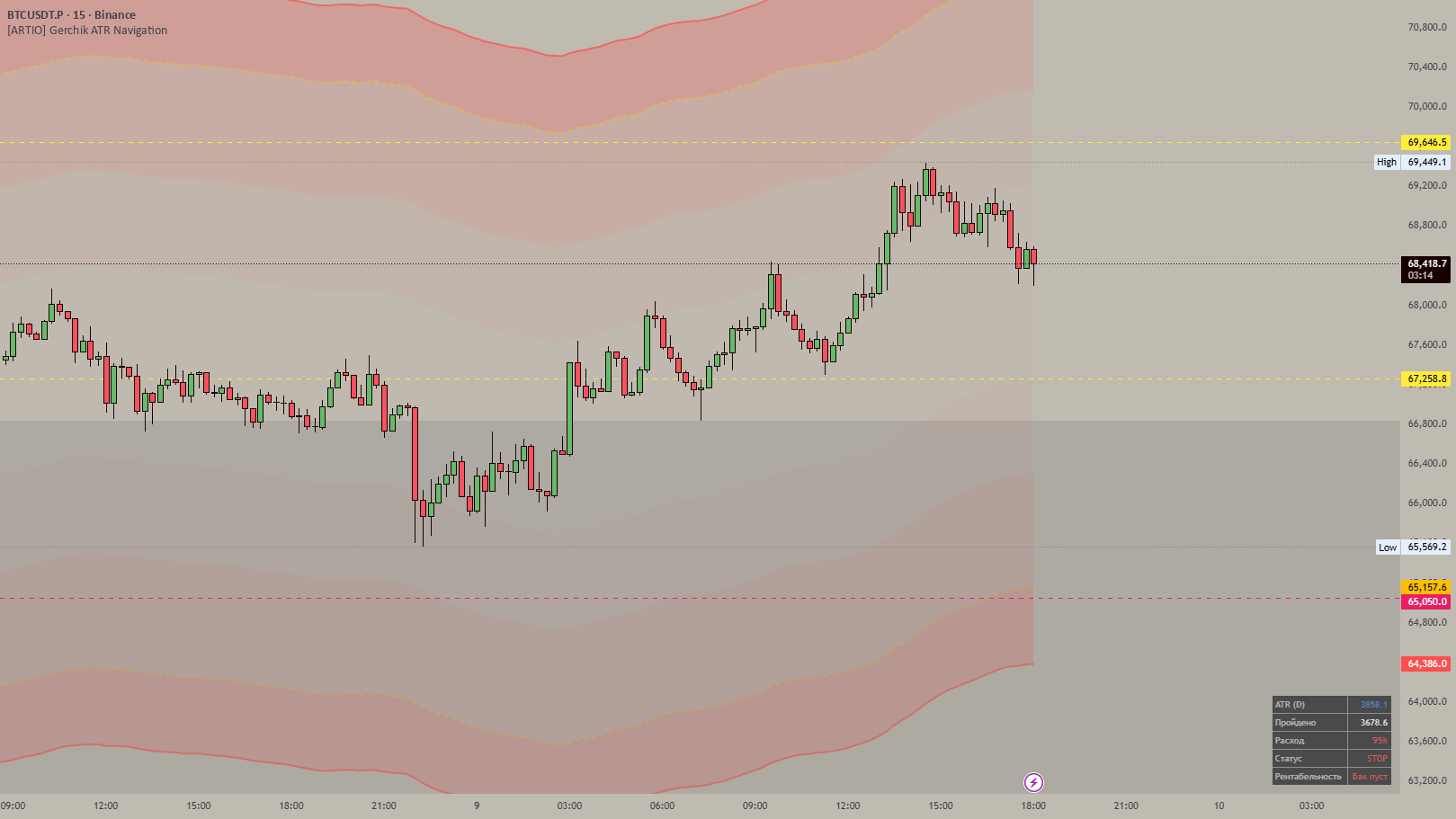
01 /The tool collection
Browse by task, platform and access. Every tool has a place.
ARTIO / BLOG
Gold scalping, trading around levels, finding impulses and free indicators. See how ARTIO tools fit your workflow — through real interfaces and clear examples.
Explore the whole blogCHOSEN BY ARTIO / FROM TASK TO TOOL

MT511 min
Hotkeys, macros and partial exits without the constant switching.
TradingView · free8 min
Connect levels, volume, CVD, OI and funding in a clear workflow.

Levels, flow confirmation, risk and a journal in one workstation.
Filters, EARLY / IMPULSE / EXHAUSTION and chart workflows.

MT57 min
Hotkeys, macros and exit presets in one trading console.
02 /Beyond indicators
Trading apps, automation and independent ARTIO projects.
03 /First steps
Find a tool for your market and trading style.
Review versions, data requirements and installation steps.
Read the description and try the tool on your chart.
04 /ARTIO keeps growing
New tools, improvements and notes on what’s changing at ARTIO.
The person behind the brand
I’m Artem, the creator of ARTIO. I build indicators, screeners and trading apps for scalping and intraday trading. This is where my tools and new ideas come together.
Artio.Support an independent creator
For two years, I’ve been building tools for traders and sharing free releases. Your support gives me more time for ARTIO — new ideas, updates and useful publications.
From an idea to a working solution.
Developing the tools you use.
Tools and resources shared openly.
Your contribution to ARTIO
Thank you for helping me keep creating.
 Windows + MT5
 TradingView · free