

APEX / ARTIO · BUILT FOR THE SCALPER
Gold moves.
Take command
with APEX.
Your gold scalping control desk for MetaTrader 5. Prepared hotkeys, volume presets, position cards, macros and exit plans in one Windows application. From your entry decision to managing the position.
 WINDOWS · RU / EN
Gold is your market.
APEX is your control desk.
XAUUSD IN VIEW · YOUR CONTROLS WITHIN REACH
This is APEX. The actual workspace.
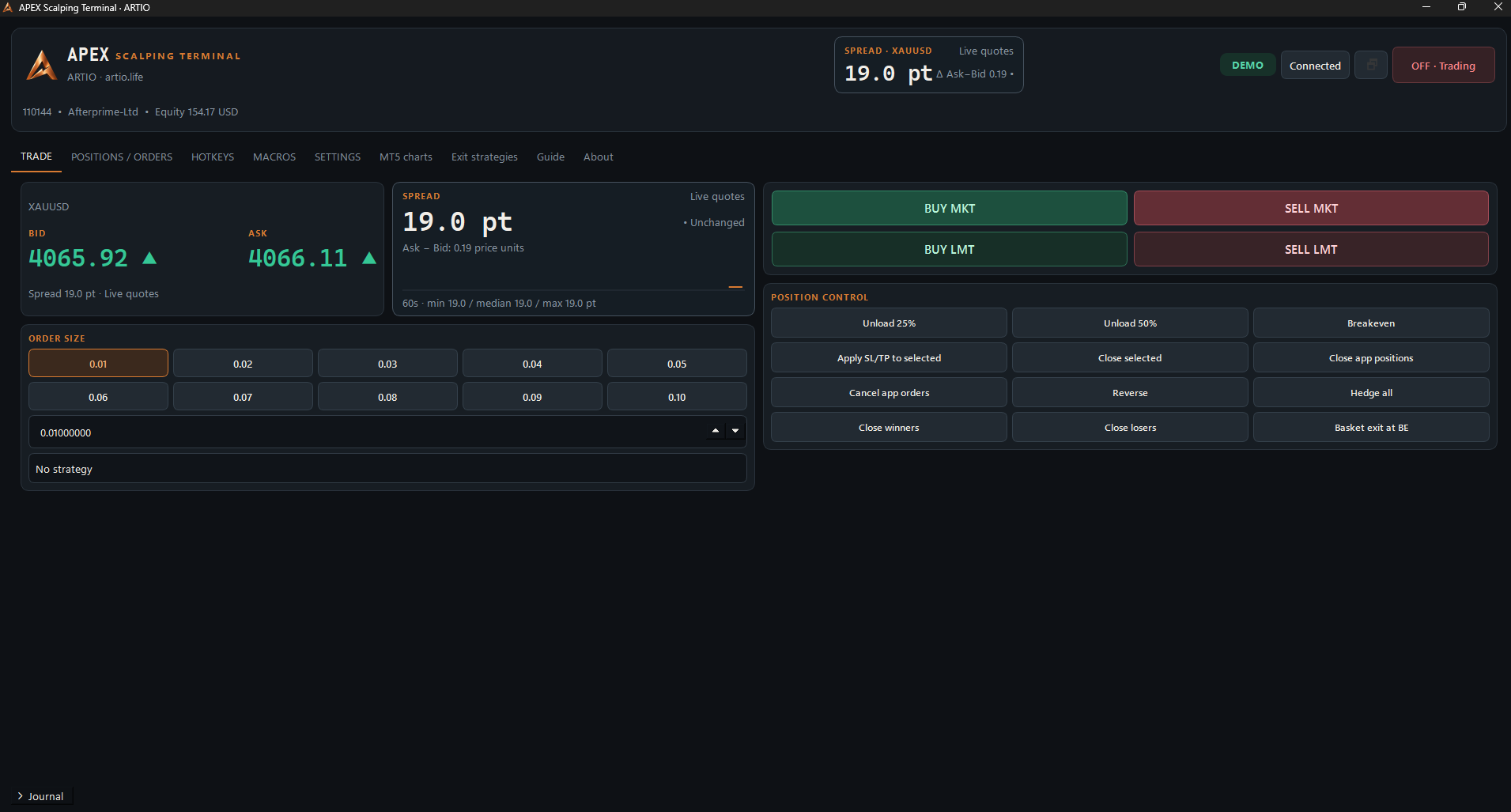
Creator screenshots captured on 4 November 2026. Demo positions and PnL illustrate the interface; this is not a performance report.
Your keyboard. Your sizes. Your entry workflow.
Entry is the beginning. Keep the position in focus.
Your macro. Your exit plan. Your APEX.
GOLD / XAUUSD / YOUR WORKING RHYTHM
Give the market your attention. Give every command its place.
You know what you intend to do. Finding the right command should not become another task. APEX brings a scalper’s controls into a deliberate sequence: prepare size, act on your decision, inspect the actual position and choose the next management action.
- 01
Prepare the entry
Key bindings and familiar sizes prepared before your setup.
- 02
See the position
A specific ticket, size, SL/TP and eligible controls together.
- 03
Manage what follows
A partial exit, macro or selected plan, on your decision.
XAUUSD is shown on Demo. Exact symbol, point size, volume limits and execution depend on the broker. The trading decision remains yours.
01 / YOUR KEYS. YOUR ENTRY.
Prepare your hands for your setup.
When your gold setup arrives, familiar actions should already have a place. Configure your keys, save your sizes and test the layout without sending orders. APEX brings lot selection, market and limit commands close to quotes and spread. Make the decision, then inspect the result.
- 10 volume presets and editable key bindings.
- Physical keyboard selection and focus modes.
- Market Buy/Sell, Buy/Sell Limit and a spread panel.
Bindings, volume and active mode are visible in the interface. Execution depends on MT5 permissions, account state and broker checks.
02 / ENTRY IS THE BEGINNING
Stay in command after the entry.
The trade is open. Now the specific ticket matters: remaining size, protection and the next action. APEX cards keep direction, volume, open PnL, SL/TP and controls together. Close an eligible portion, apply a plan or work with an individual leg. Linked opposing positions appear as a group while retaining separate management.
- 25/50% partial exits when broker volume and remainder rules allow.
- Direct SL/TP editing and strategy assignment per leg.
- Close a direct pair with Close pair: both legs close sequentially, with each outcome checked separately.
Hedging requires a hedging account. Pair close and Reverse run in separate stages, not atomically: check remaining positions in MT5 after a refusal.
03 / YOUR SEQUENCE. YOUR APEX.
Your order of operations. Prepared once.
Your trading style has an order of operations. Save a familiar sequence as a macro and start it deliberately when you choose. APEX waits for the previous trading operation’s result before moving on. Prepare the sequence once instead of rebuilding it from scattered controls.
- Custom sequences in the macro editor.
- Actions and strategy selection are available in bindings.
- A refusal stops the macro; requests are not automatically retried.
A known partial fill stops the current macro. Check the remaining position in MT5.
04 / THE PLAN CONTINUES AFTER ENTRY
Give the exit the same preparation.
Bring fixed SL/TP, trailing SL, virtual trailing profit and breakeven rules into a named plan. Select it for new entries or explicitly assign it to an eligible position. An applied copy stays independent: editing a template does not silently rewrite the management of an open trade.
- Conditions in instrument points or a percentage of entry price.
- Server levels and local rules are distinct mechanisms.
- Monitor the current basket for profit, loss or estimated BE.
Local rules require APEX running, ON and connected to MT5. BE is an estimate with incomplete future costs, not a guaranteed zero-result exit.
05 / STAY IN YOUR WORKFLOW
A chart for analysis. A desk for your actions.
Keep the chart as the place for market analysis. The included Chart Control can manage a selected MT5 chart’s zoom, latest-candle view and trade-line visibility. Execution and position management remain in APEX. The bridge is not required for the basic trading connection.
- A compact console and full workspace in one app.
- 12 interface languages and an in-app guide.
- Chart Control is included; no extra purchase for the same functionality.
Chart commands need the installed bridge; chart hotkeys require MT5 in the foreground. Hiding lines does not cancel orders or remove SL/TP.
Workflow illustration
- Chart zoom ↗
- Latest candles ↗
- Trading lines ↗
APEX / YOUR METATRADER 5 CONTROL DESK
Gold is your market. APEX is your control desk.
Choose a workspace for the whole management sequence. A prepared keyboard, position cards, your macros and exit plans in one Windows control desk alongside MT5. APEX was built for the scalper who wants deliberate management beyond the entry, every session.
You control the start
The app starts OFF. You enable trading and local management separately. Keep the account, symbol, volume and rules in view.
Personal use of the delivered edition on the specified platform. Source, resale, other products and personal setup are excluded. A purchase does not start trading or verify compatibility with your broker.
Limitations and compatibility checks
- Clean second-PC installation, reconnection and compatibility with the selected MT5 terminal.
REAL WORKSPACE / RU + EN
Meet your next execution workspace.
Switch views and inspect every detail at full size.
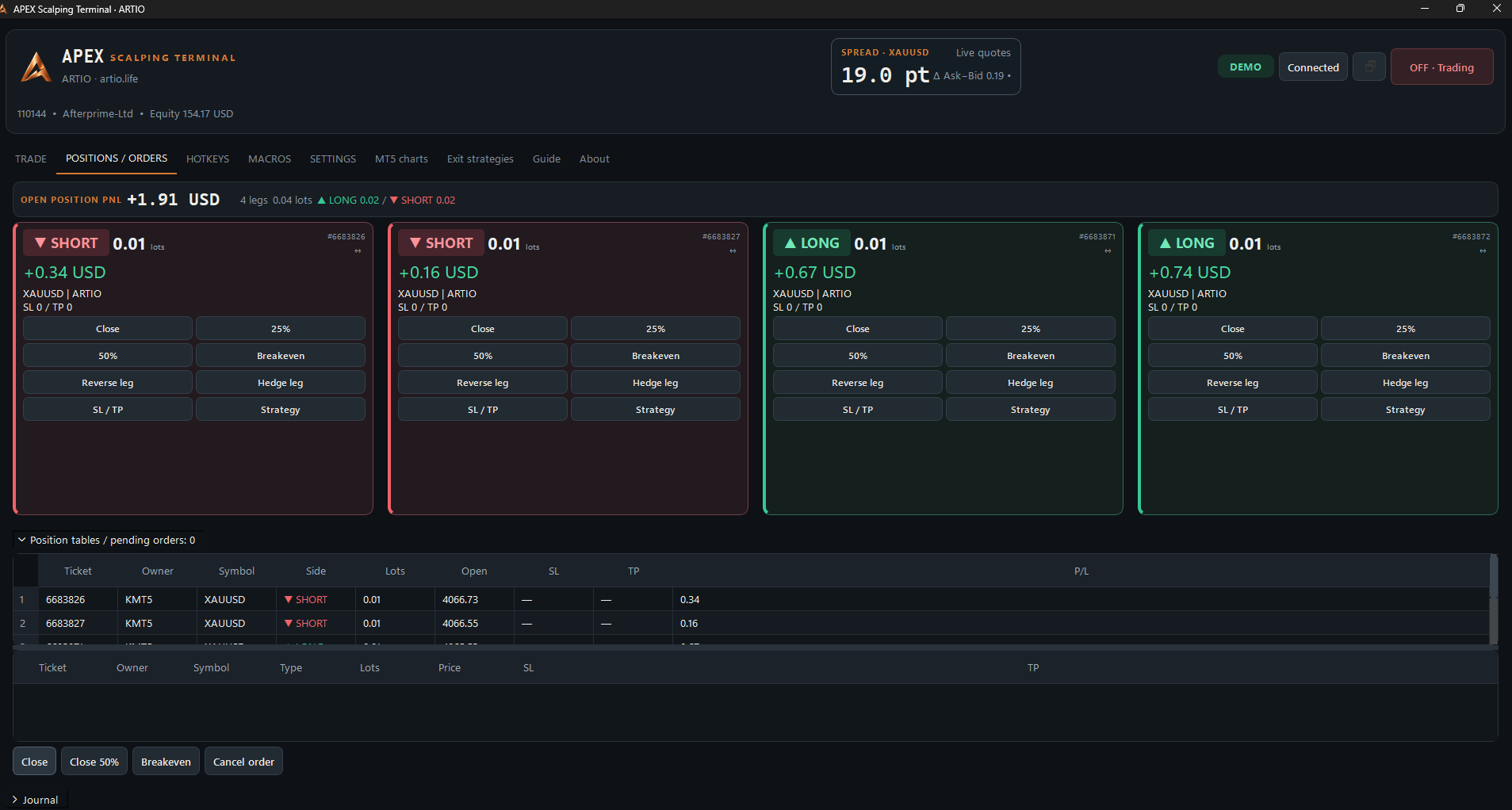 Individual position controls ↗
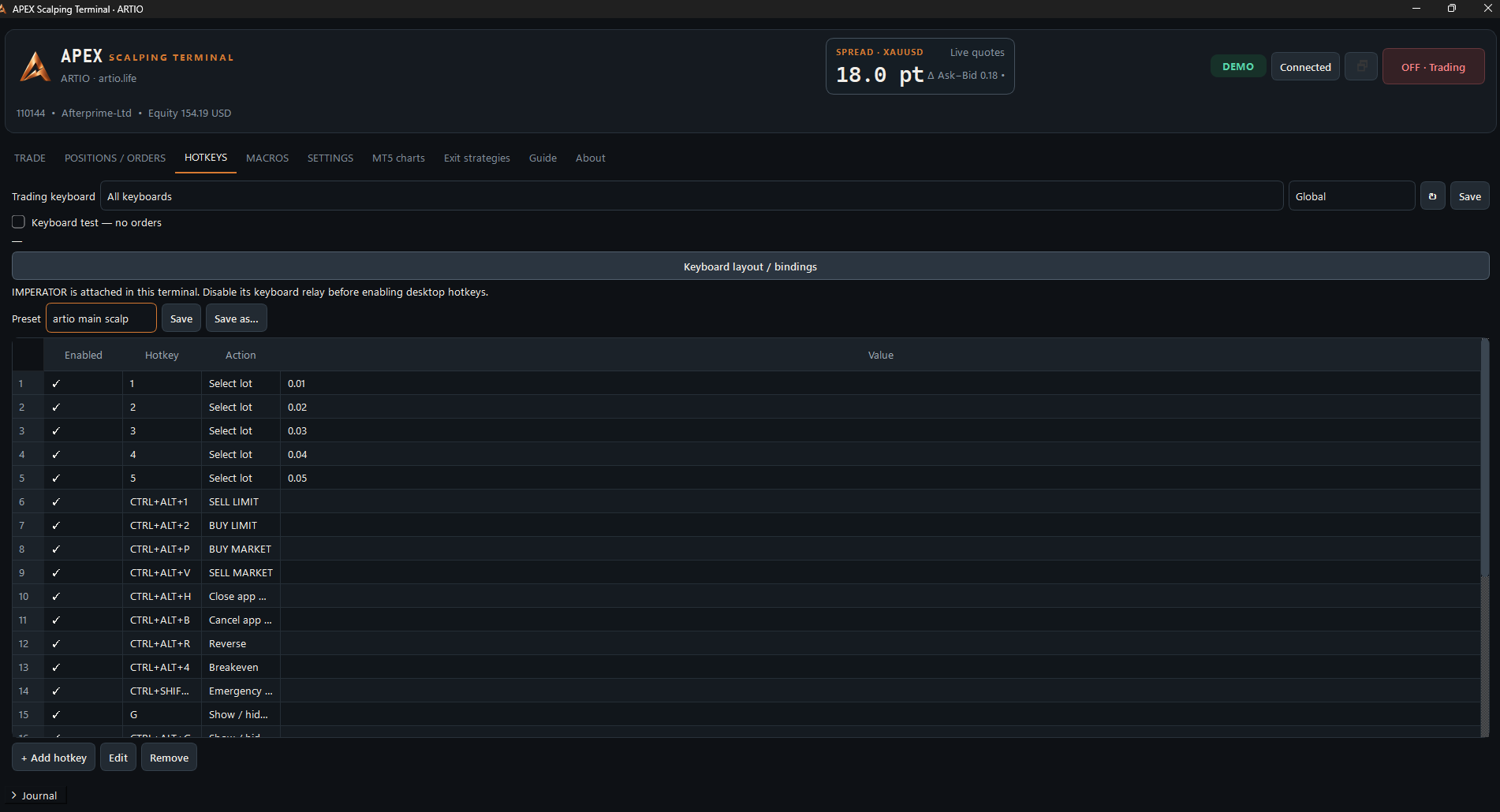 Keyboard and bindings ↗
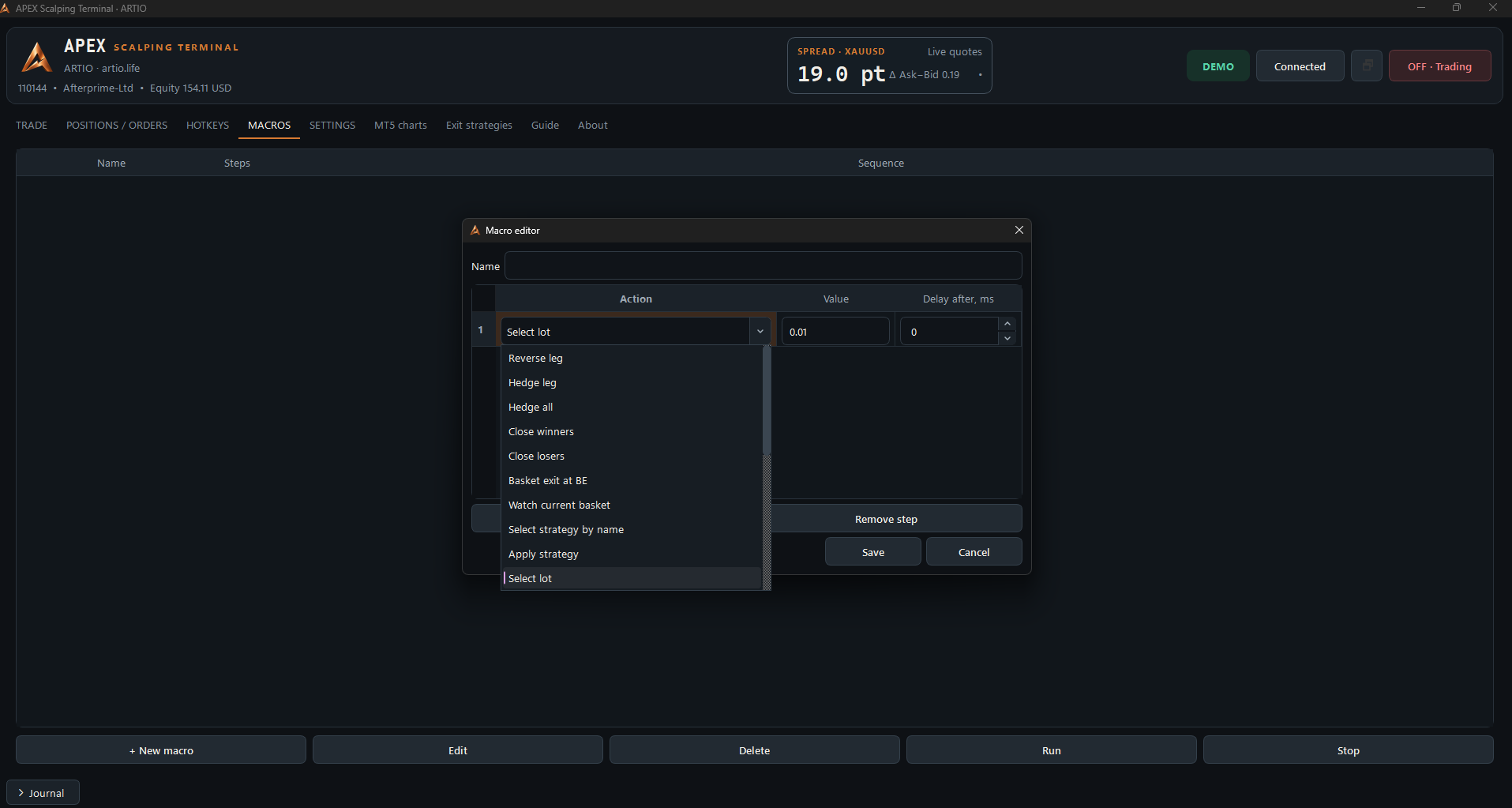 Macro sequence editor ↗
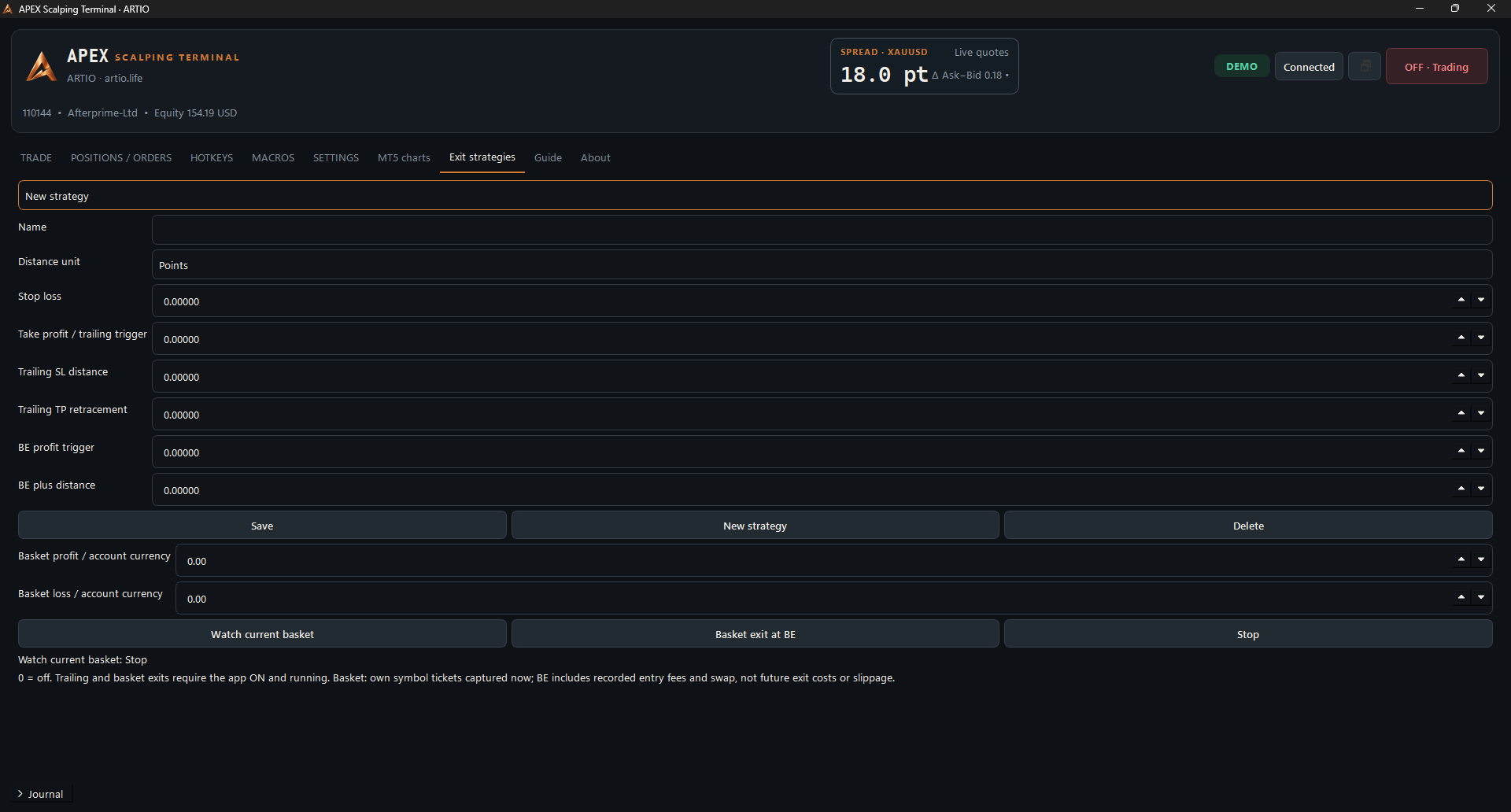 Exit strategies and basket ↗
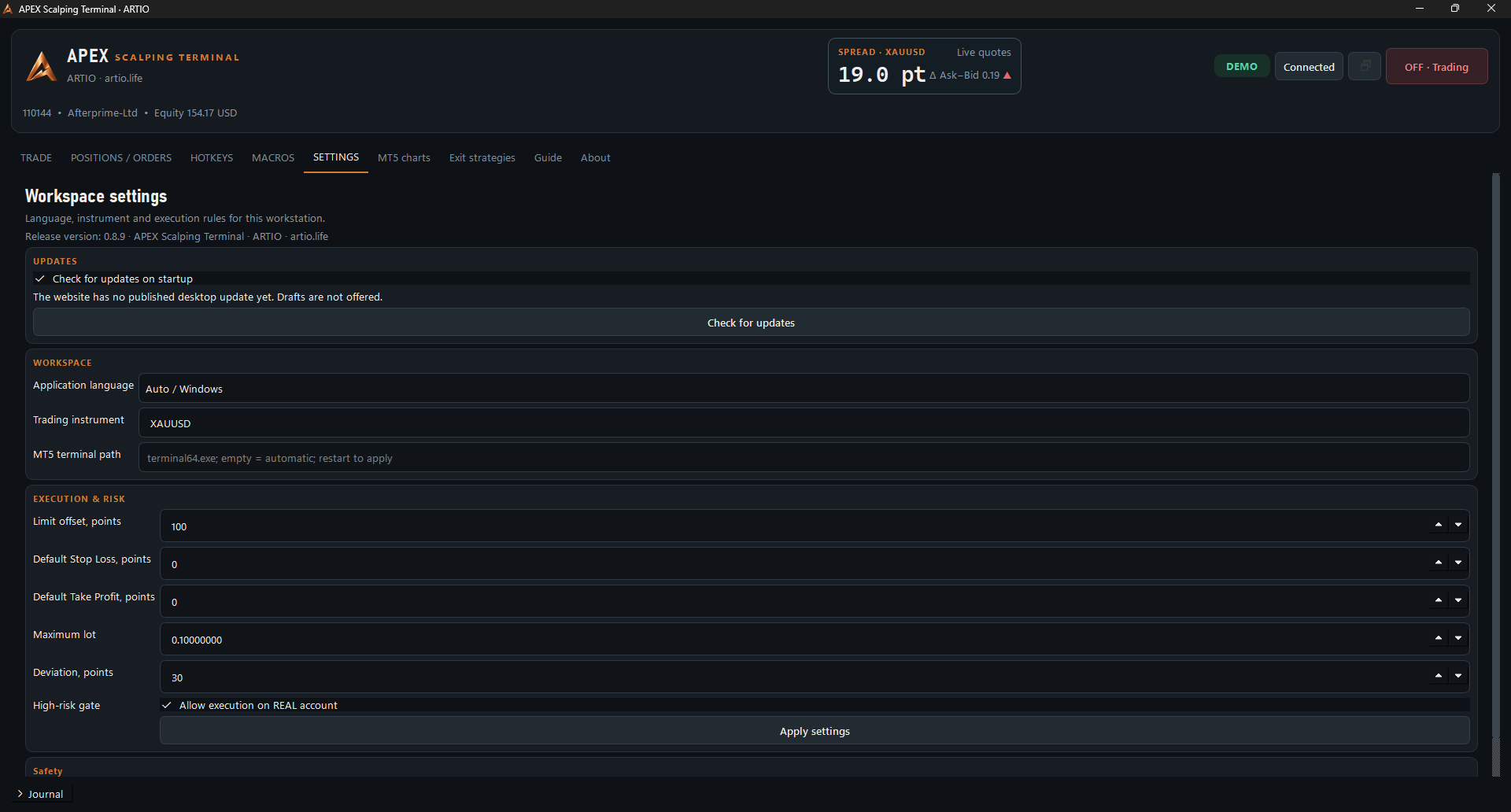 Language and workspace ↗
Creator screenshots captured on 4 November 2026. Demo positions and PnL illustrate the interface; this is not a performance report.
BEFORE YOU CHOOSE
Questions
These answers are linked to the shared ARTIO help centre.
Does APEX replace MetaTrader 5?+
APEX is a separate Windows app for a connected MT5 terminal. You need a compatible running terminal, your broker account, quotes and appropriate permissions. Analysis charts remain in MT5.
Open shared answer ↗Must I also buy IMPERATOR?+
No. APEX and IMPERATOR are independent execution workflows: an external Windows window or a native MT5 console. Use one trading executor at a time. Turn IMPERATOR off before trading from APEX; automatic detection depends on the updated bridge.
Open shared answer ↗What happens at startup and in OFF?+
Execution starts OFF. Enable ON deliberately after checking account, symbol, volume and keyboard. OFF stops local management but does not close positions, cancel orders or remove server SL/TP. Server levels remain with the broker.
Open shared answer ↗Can I hedge on a netting account?+
An independent opposing leg requires a hedging account; Hedge is refused on netting. Netting aggregates the symbol position. Partial exits must meet the broker’s minimum volume and volume step.
Open shared answer ↗What do trailing and basket management require?+
APEX must be running, ON, connected to MT5 and receiving fresh quotes. A basket captures current owned tickets of the symbol; new positions are not added automatically. BE excludes unknown future closing costs and slippage, so a financial zero is not guaranteed.
Open shared answer ↗When can I buy it?+
149 USDT. Pay USDT through Bybit UID, TRC20 or BEP20. After the owner reviews incoming funds, the file appears in My purchases. Personal licence for the stated build; source, resale and future major versions are excluded. Buying does not start trading. This is a prerelease: acceptance with your broker and on a clean system is unverified; test in demo first. MQL5 Market publication is not claimed.
Open shared answer ↗- Extract the full portable package. Keep the EXE and _internal together; close the previous APEX instance.
- Connect the intended running MT5. Check the exact account, symbol with suffix, quotes and volume. Startup state is OFF.
- Check bindings in no-order test mode. For Chart Control, install the included bridge as documented. Enable ON separately when you are ready.
APEX / ARTIO JOURNALAPEX JOURNAL / INSIDE THE WORKFLOW
Why a scalper needs a dedicated control desk.
Gold, attention, window switching and the work after Buy or Sell. The APEX article explores the complete workflow through actual screens, position controls, hotkeys, macros and exit plans.
Your setup. Your command. Your APEX.
Price & access ↗APEX executes your decisions and the management rules you choose. Results depend on the market, broker, costs and your actions.