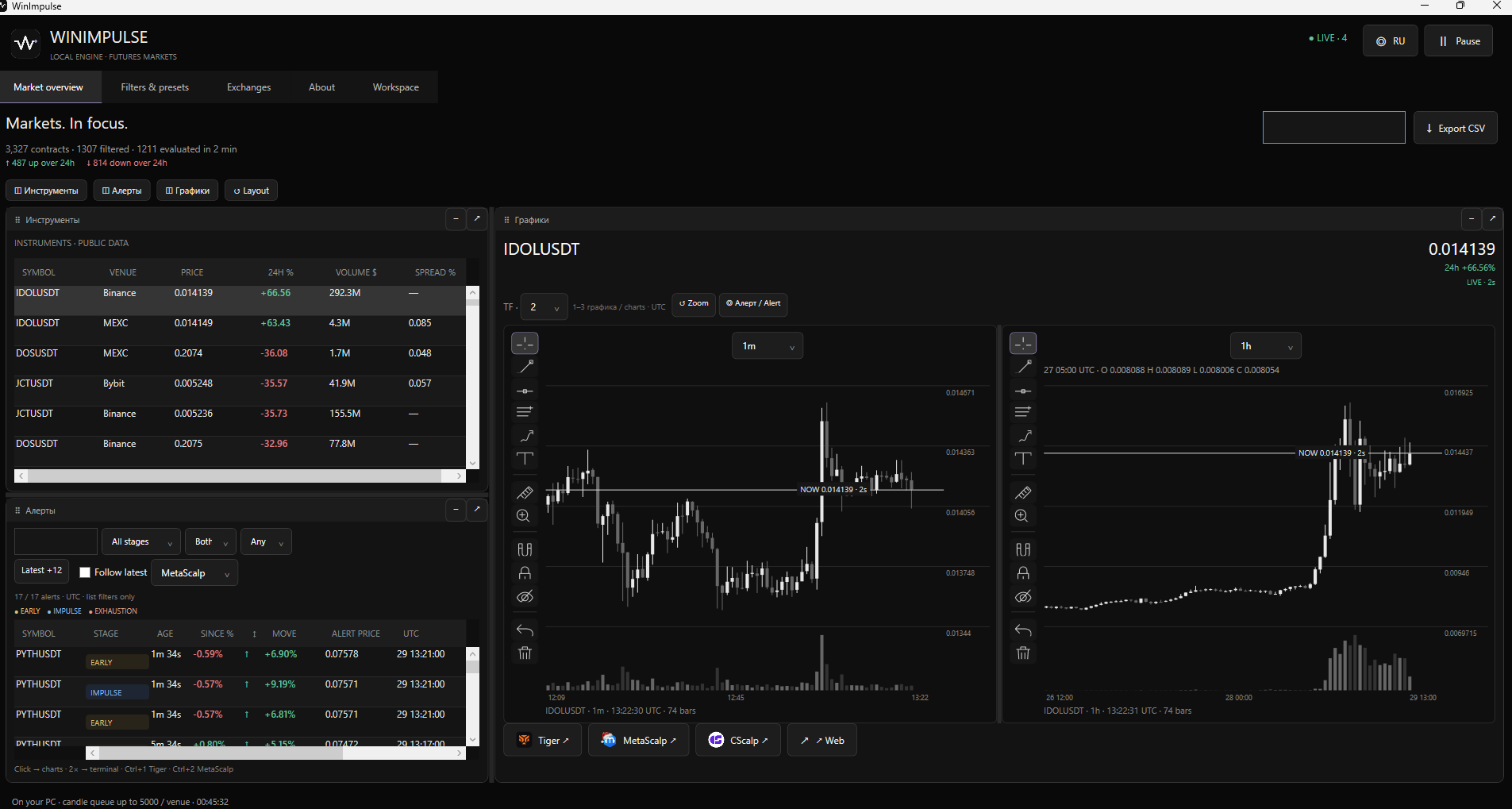
You were watching another chart. The market moved.
Your usual pair is open. A watchlist sits beside it, with more tabs and a terminal waiting nearby. Activity builds in another contract while your attention stays on the current chart. By the time you switch, the move is obvious. The opposite routine is familiar too: sort a huge list by percentage change, open chart after chart and forget why the first one looked interesting.
WinImpulse helps organise that search. It is a Windows scanner for crypto futures, bringing a market overview, filters, events and charts into one workspace. Define which movements deserve a closer look, then open the selected instrument. The path stays connected: from the contract table to chart inspection and ticker handoff to your terminal. You have a way to separate broad observation from detailed analysis and bring attention back to a specific market.
Build the market overview you want to use.
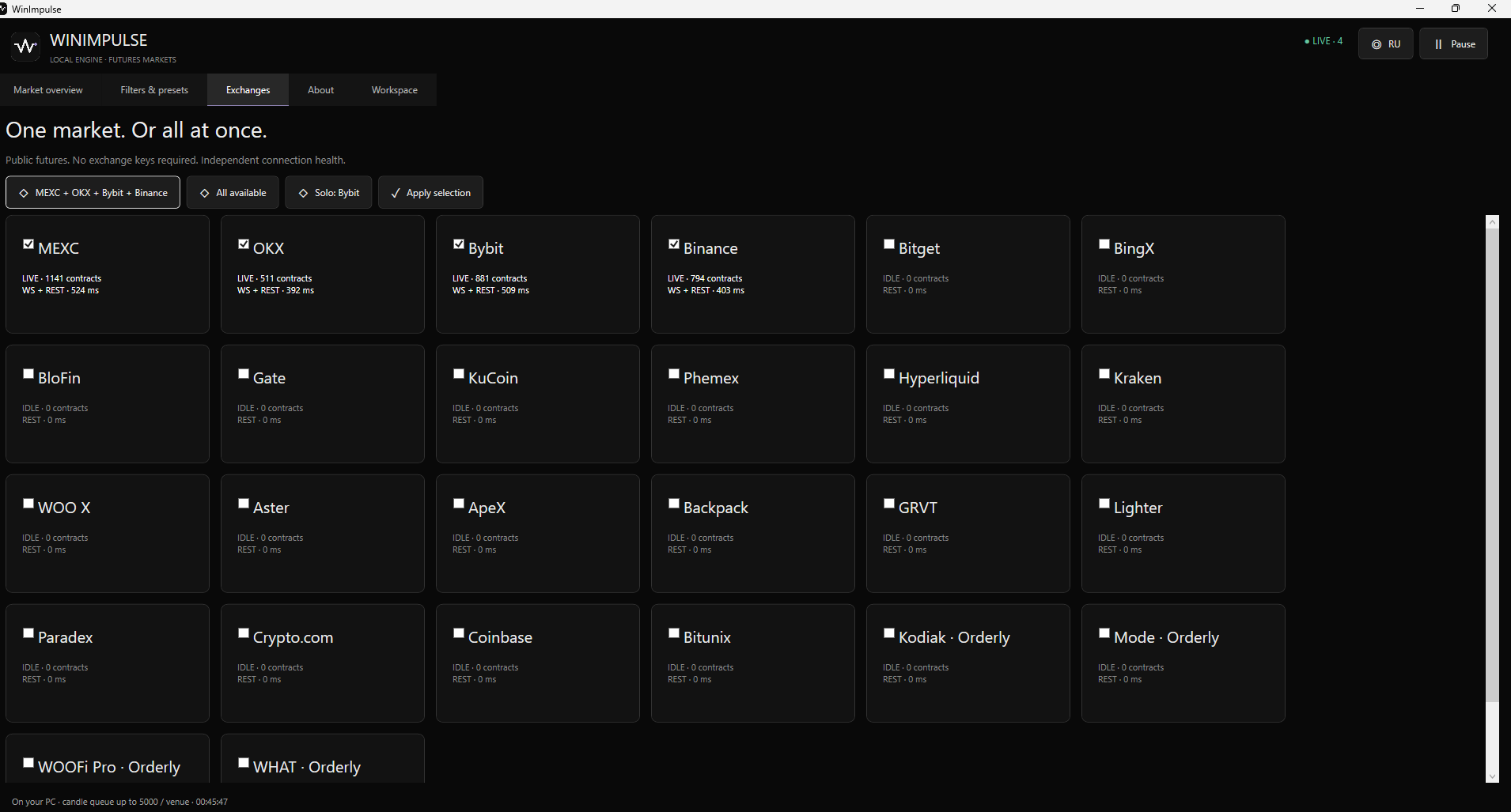
WinImpulse places contracts from your selected exchanges alongside price changes, volume and available spread. Search for a ticker and compare activity without assembling the view from separate windows. It provides a starting point for your own shortlist: where to begin, which instruments to keep in view and where to inspect connection status if information stops updating.
The supplied screenshots show MEXC, OKX, Bybit and Binance connected. Additional adapters are included, but appearing in the menu does not establish that every venue is verified on your network. Availability depends on APIs, region and connectivity. The practical benefit of the overview is seeing chosen markets together and narrowing your attention deliberately. Start with one exchange, wait for data and expand the view to suit your computer and workflow. The number of rows is useful only when you can turn it into a manageable selection.
Describe movement with your own filters.
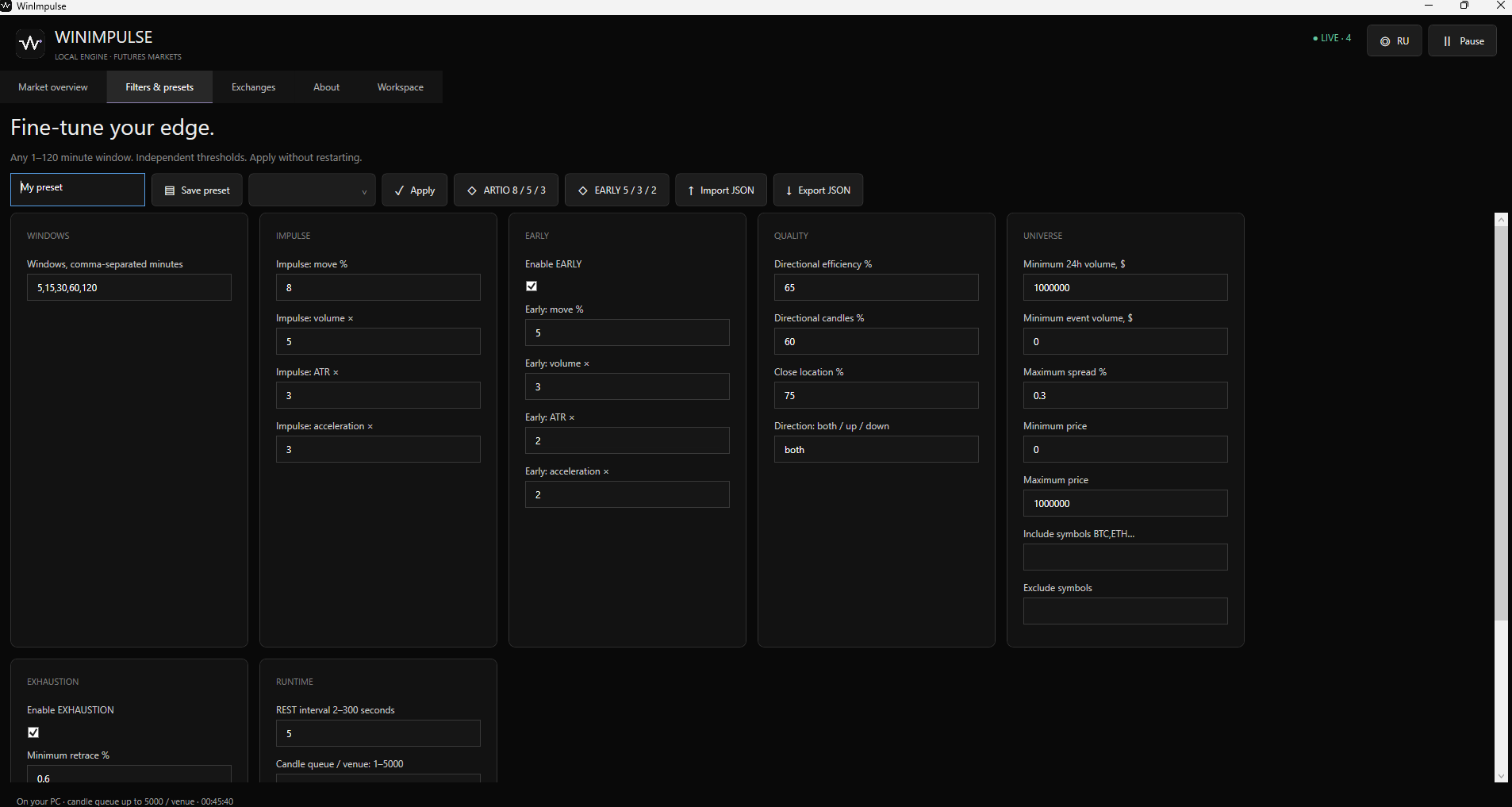
Different traders mean different things by an impulse. One wants activity over a short window; another needs a longer observation period and higher volume. WinImpulse offers windows from one to 120 minutes and thresholds for price movement, volume, ATR and acceleration. Movement-quality settings and selection limits help shape a list around what you actually intend to inspect.
Presets let you save a working configuration and return to it later. JSON import and export are useful when comparing selection approaches and keeping track of the parameters you applied. You do not need to reconstruct settings from memory each session. Strict filters may leave only a few events, or none at all. That can be a valid result when the market does not match your thresholds. The purpose is to make the shortlist useful, rather than fill it simply to make the scanner look busy.
VERSION 0.1.16 · ACTUAL FILTERS AND PRESETS
EARLY, IMPULSE, EXHAUSTION: an event gets a name.
Once thresholds are configured, market events are classified as EARLY, IMPULSE or EXHAUSTION. Those labels help you decide what to open and examine. They provide context for directing attention; they do not turn a row into a ready-made instruction to buy or sell. The chart, liquidity, spread, data quality and your own intended setup still matter.
Use the sequence: notice an event, inspect its parameters and move to the chart. An alert becomes the start of analysis. EXHAUSTION alone does not promise a reversal, and IMPULSE does not guarantee continuation. Events reflect your configuration and the available data. An empty list can mean history is still loading or that current activity has not passed the thresholds. Check the exchange status and filters first. You can then decide whether to change the selection, with a clearer reason than simply wanting more alerts.
Turn a shortlist into chart context.
The table shows where to look. A chart helps you understand what is happening there. WinImpulse supports up to three candlestick charts with separate timeframes, drawings and price alerts. Open a selected event and compare its shorter movement with a broader view, keeping instrument and event lists nearby. Arrange panels around the way you work.
This is what makes the scanner useful beyond a table of percentages. After selection, you have somewhere to check how developed the move already is, where price is positioned and what needs further examination. Drawings and your own price alerts help continue observation of a chosen instrument. The product page shows actual interface captures. Prices, contract counts and events in those images belong to the moment of capture; they are neither current market quotes nor trading results. Use them to inspect the workspace you would be working with.
Keep the same ticker when you move to a terminal.
After choosing an instrument, another small interruption often follows: finding the same symbol in a different application. WinImpulse can pass the ticker to Tiger.Trade and MetaScalp through their local interfaces. Tiger.Trade uses Local Signal Server with a matching group, with the Bybit and Binance protocol verified. MetaScalp uses Local API, automatic port discovery and the active window or a linked group.
CScalp has a different path: launch the application and copy the ticker. Automatic symbol switching is not promised for CScalp. That distinction matters when deciding how the scanner fits your desk, so each integration is described separately. These actions are navigation. WinImpulse does not submit orders, manage your account or enable automated trading. It reduces manual switching where an integration supports it, while you keep your own sequence for checking a setup and executing it in the terminal.
VERSION 0.1.16 · CONNECTIONS AND PUBLIC DATA
A local scanner without trading-account keys.
WinImpulse reads public market data and does not need trading-account credentials. Calculations run on your computer, with settings and presets under your control. Windows version 0.1.16 has no registration, activation, subscription or expiry. English and Russian are available in the interface, and CSV export lets you take the table into your own further work.
You need Windows 10/11 x64, internet and access to public exchange APIs. Python and .NET are bundled: extract the complete ZIP and keep the EXE, engine and other files together. Scanning runs while the app is open and the PC is awake. The ARTIO website does not continue monitoring on behalf of a closed local app. With many contracts, candles load in a queue. If a chart is empty, check exchange status and history loading before assuming the software has failed.
Choose a scanner that fits your rhythm.
WinImpulse addresses a task that returns every session: selecting the markets worth your attention from a much larger field. The overview narrows the selection, a preset defines the rules, an event leads to a chart and local terminal navigation helps you continue with the same ticker. You get a connected workflow instead of a disconnected tour of windows. The trading decision remains yours; the product offers a way to search and analyse, rather than a promised trading outcome.
The version presented on ARTIO is 0.1.16, priced at $299 once for personal, indefinite use on your own Windows computers. Source code and resale rights are excluded, and future major releases are not promised. Payments and automatic delivery are not connected yet, so the site is currently not collecting money. Explore WinImpulse: actual screenshots, filters, terminal capabilities, setup guidance and FAQ help you decide where it belongs in your working day.