Volume and pressure alongside price
Compare RVOL and estimated CVD with price direction to examine the activity behind a move.

ARTIO / TRADINGVIEW / Volume & price response
ARTIO ONE
Price shows the move, but not its full context. ARTIO ONE connects volume, estimated CVD, open interest and funding in one TradingView pane.
Open on TradingViewFree on TradingViewProtected sourceV6.0
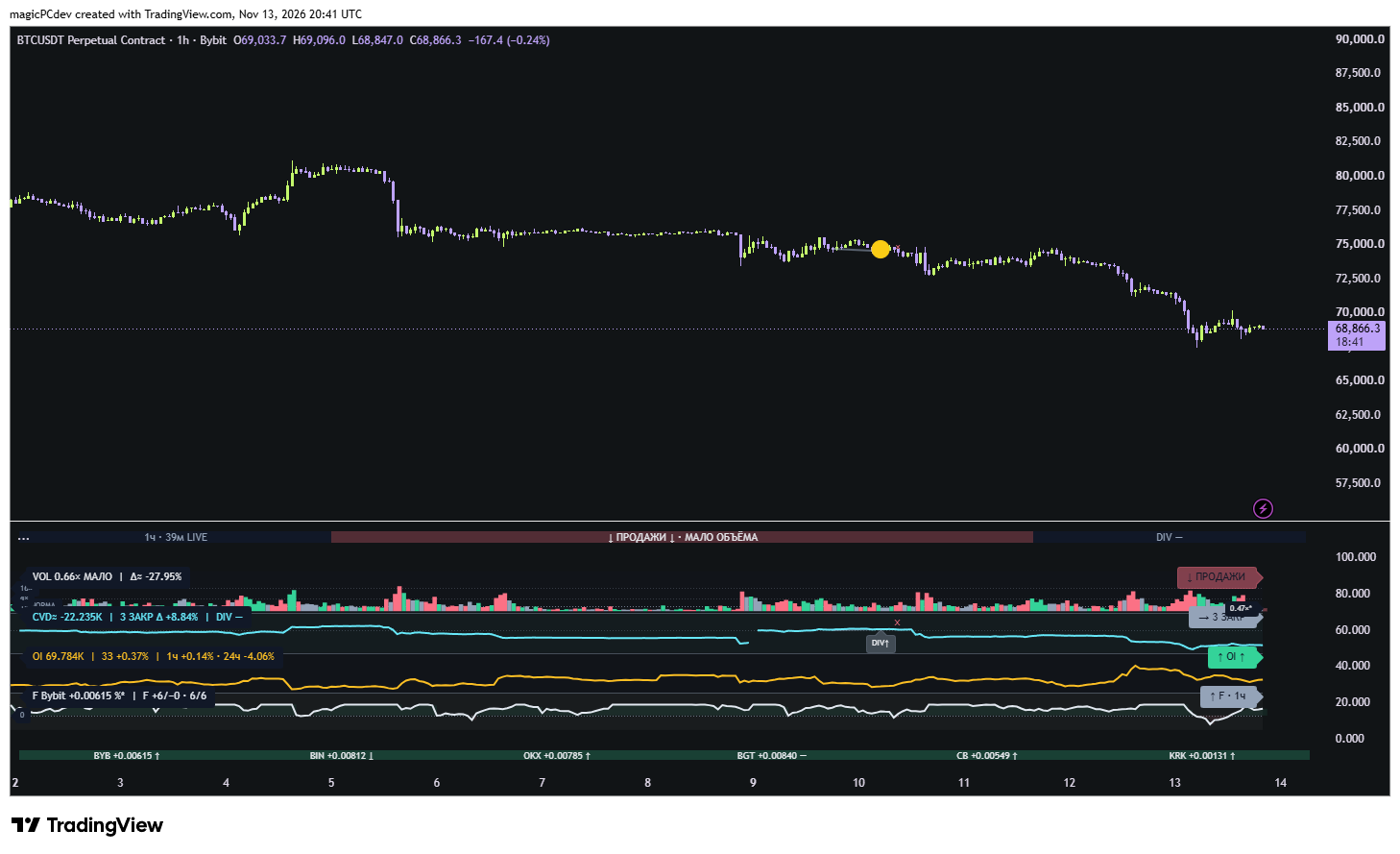
Volume and pressure alongside price
Follow a divergence through its states
OI and funding add context
ARTIO / A PRACTICAL USE CASE
Read RVOL and estimated delta against the price move, with available OI and funding adding context. Divergences have observable waiting, reaction, invalidation and expiry states: a framework for analysis, not an automatic trade.
WHAT TO CHECKThe original V6.0 UI is mainly Russian; CVD is estimated and OI/funding availability depends on the instrument and subscription.
ARTIO / CHART STUDIO
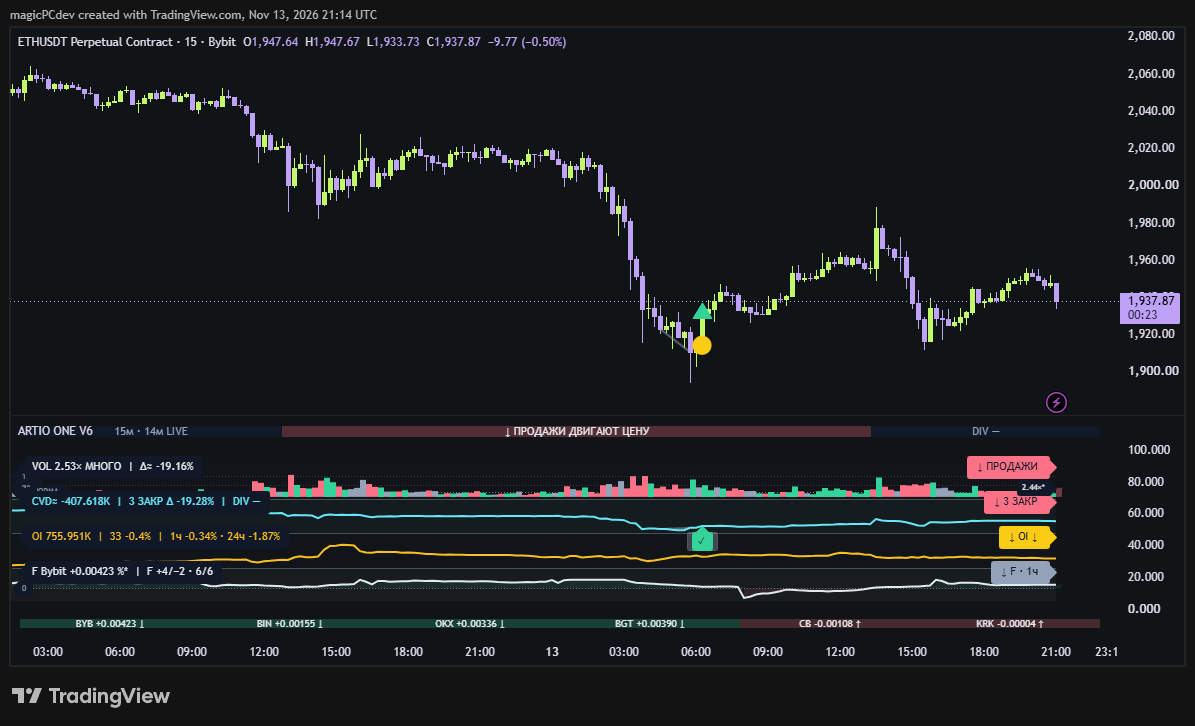
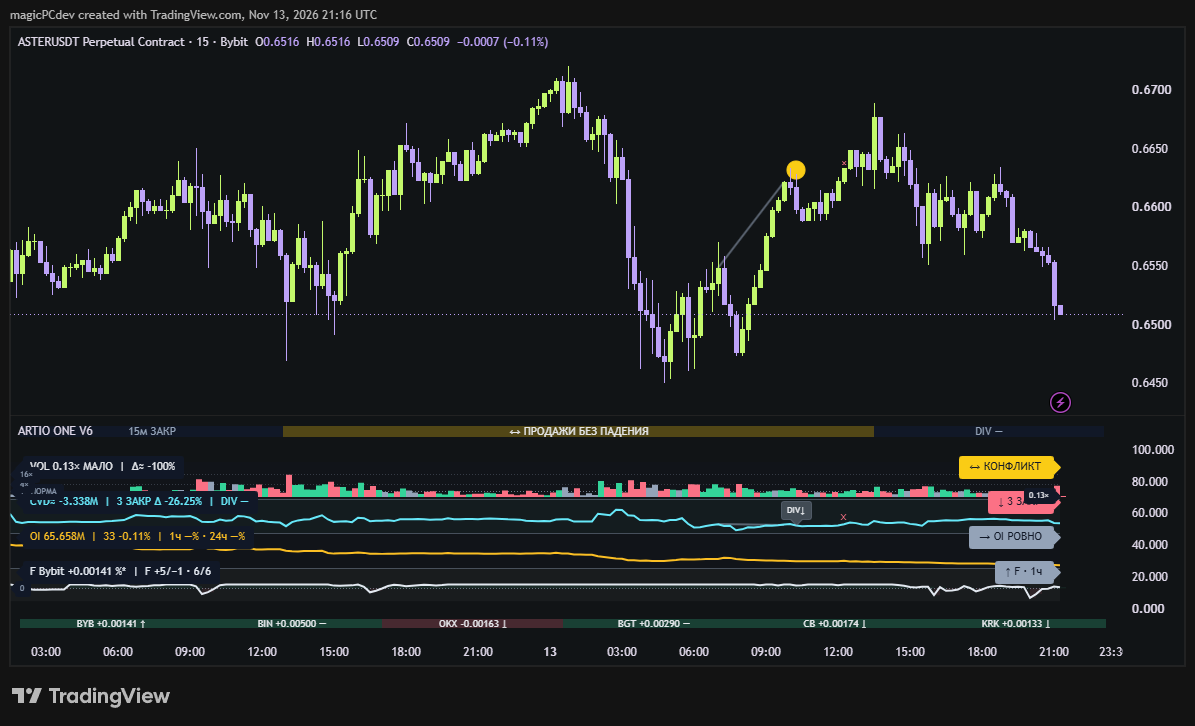
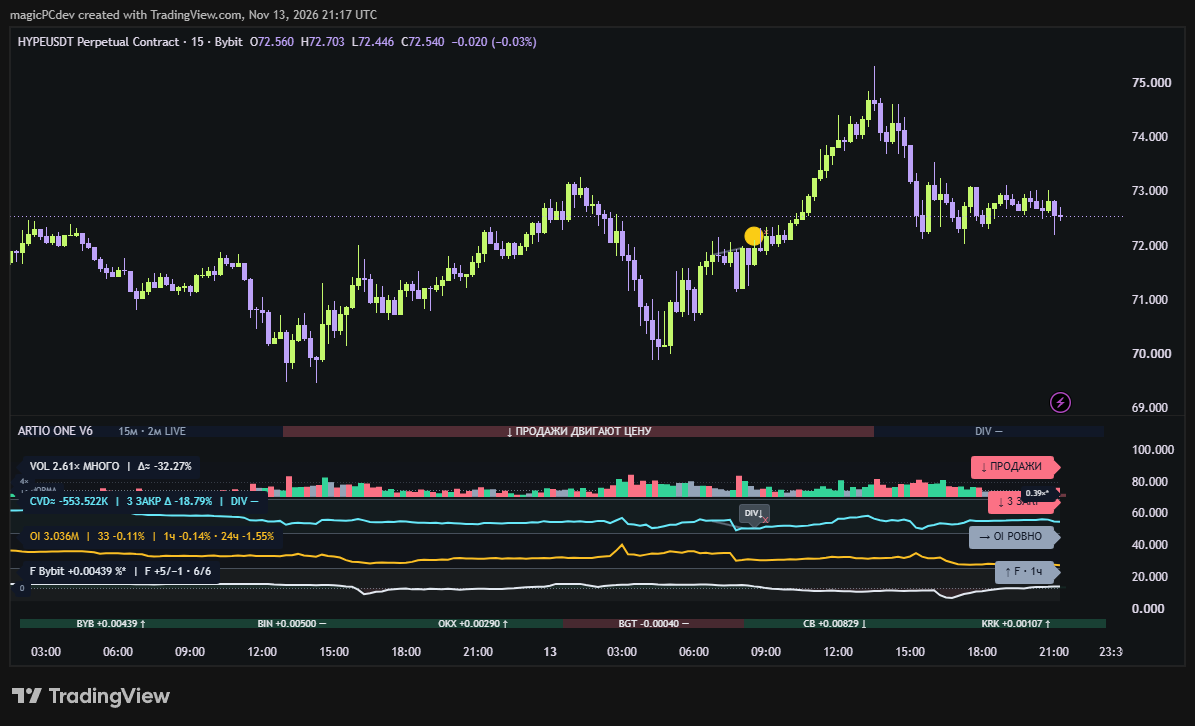
Actual interface. Open the full-size image to inspect its labels. The captured quotes are historical; this is not a trading result.
ARTIO / CAPABILITIES
Compare RVOL and estimated CVD with price direction to examine the activity behind a move.
Observe waiting, reaction, invalidation and expiry. An individual marker is one part of the context.
When the feed is available, open interest and funding let you compare several market layers in one pane. Missing data remains unavailable.
ARTIO / WORKFLOW
DATA / CONTEXT
Read the output with its feed, confirmation timing and model limits in mind.
ARTIO / FAQ
The same answers are available in the shared help centre.
Open the official publication with the TradingView button, sign in and select Use on chart or add the script to your favourites. On your chart, find it under Indicators → Favorites. Individual scripts may require a particular TradingView plan or data feed; check the product limitations.
Open answer ↗Source packages and source-code purchases are not connected on ARTIO yet. Open-source publications expose their code in TradingView’s Source code tab. Protected scripts keep their code private even when use is free. Terms for separate code delivery, modification and redistribution must be published before purchase.
Open answer ↗ACCESS / SOURCE
This publication keeps its source private. Free use of the indicator does not grant access to its code.
Separate source packages and purchase or download terms on ARTIO have not been published yet.
ARTIO / READ THE MARKET
Combine scanners, levels, volume, CVD, OI and funding: a practical guide with actual charts in the ARTIO Blog.
Read the indicator workflow guide ↗