A separate profile for each session
Asia, London, New York and US afternoon have their own ranges, profiles and key levels. Regional time zones account for daylight-saving changes.
La descripción se muestra en inglés. Puedes elegir RU o EN.

ARTIO / TRADINGVIEW / Volume & price response
Session Volume Profile & Levels
Price moves on, but important zones remain. Connect Asia, London and New York through separate volume profiles, POC, VAH and VAL.
Open on TradingViewFree on TradingViewOpen source
The publication requires TradingView Premium / Ultimate · 1m–1h
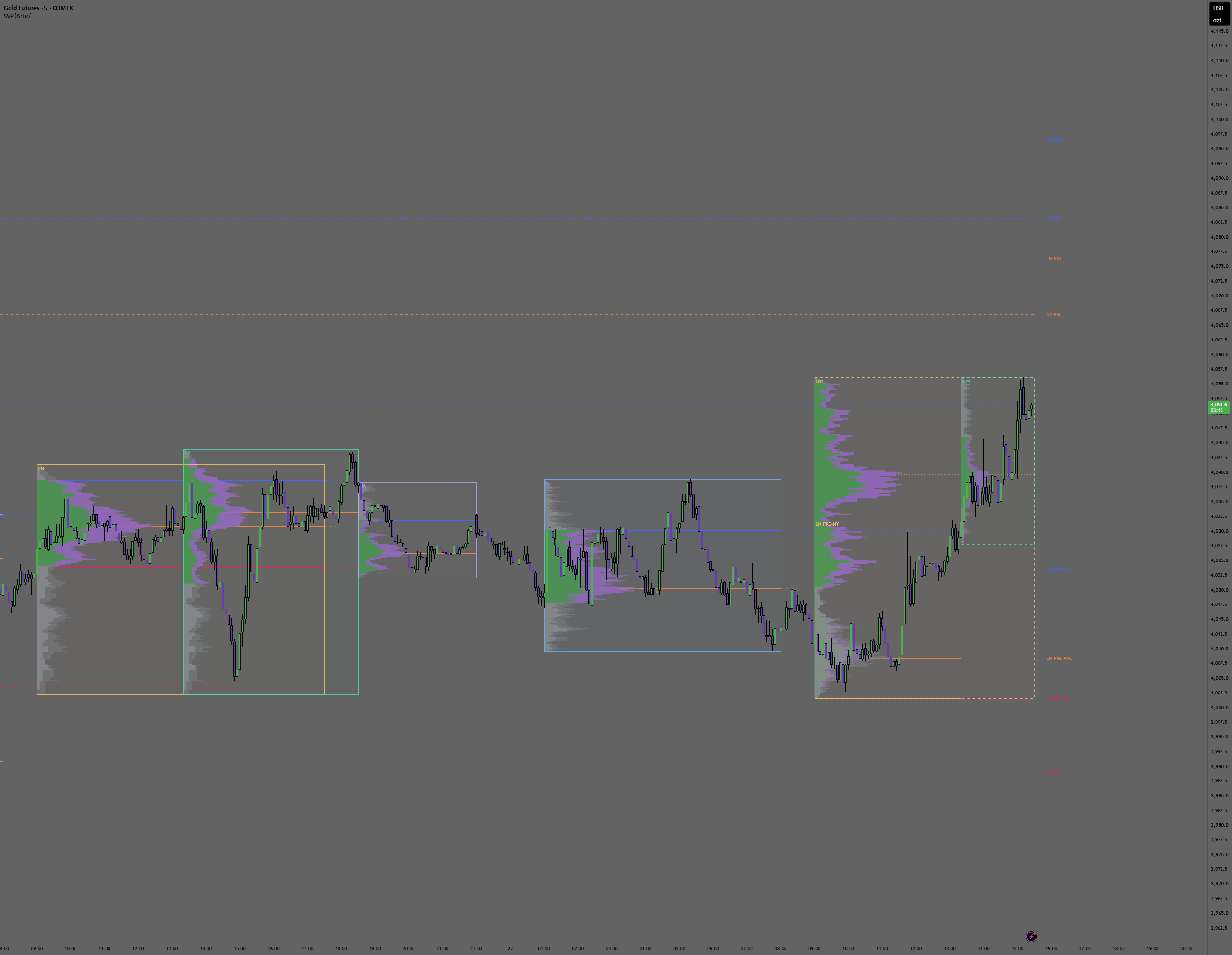
A separate profile for each session
Know where a level came from
London before New York begins
ARTIO / A PRACTICAL USE CASE
The London Pre-NY snapshot preserves the profile before your selected New York window. Follow where the next session meets earlier value boundaries and POC, keeping each level’s date and origin visible.
WHAT TO CHECKThe script is free; its publication requires TradingView Premium or Ultimate for this edition, including proxy mode.
ARTIO / CHART STUDIO
Actual interface. Open the full-size image to inspect its labels. The captured quotes are historical; this is not a trading result.
ARTIO / CAPABILITIES
Asia, London, New York and US afternoon have their own ranges, profiles and key levels. Regional time zones account for daylight-saving changes.
Extend POC, VAH and VAL beyond the session and label their origin, date and price. Choose to stop after the first observed test or continue to the latest processed bar.
A London Pre-NY snapshot preserves the range and profile before your New York window. It lets you study the opening against context that existed at that time.
Control historical sessions and detailed profile counts, place profiles behind candles and optionally add VWAP. Keep the current structure readable while tracing older zones.
Test and return observations, confirmed one-minute retest alerts and Trade Map/Audit panels extend the core profile. The dashboard is off by default.
ARTIO / WORKFLOW
DATA / CONTEXT
Read the output with its feed, confirmation timing and model limits in mind.
ARTIO / FAQ
The same answers are available in the shared help centre.
No. The publication exposes its code, but this edition requests native footprint. Its description requires Premium or Ultimate, including for proxy mode. Code access and data access are separate.
Open answer ↗POC is the highest-volume price level in the calculated profile. VAH and VAL bound the selected value area; the default is 70%. They are analytical references, not mandatory entry points.
Open answer ↗No. Both the source and meaning of volume differ. Read the profile in the context of its feed, without presenting CFD activity as centralized COMEX volume.
Open answer ↗Open the official publication with the TradingView button, sign in and select Use on chart or add the script to your favourites. On your chart, find it under Indicators → Favorites. Individual scripts may require a particular TradingView plan or data feed; check the product limitations.
Open answer ↗Source packages and source-code purchases are not connected on ARTIO yet. Open-source publications expose their code in TradingView’s Source code tab. Protected scripts keep their code private even when use is free. Terms for separate code delivery, modification and redistribution must be published before purchase.
Open answer ↗ACCESS / SOURCE
The creator has published the source on TradingView. View it in the Source code tab on the publication page. No download file is hosted on ARTIO yet.
Separate source packages and purchase or download terms on ARTIO have not been published yet.
ARTIO / READ THE MARKET
Combine scanners, levels, volume, CVD, OI and funding: a practical guide with actual charts in the ARTIO Blog.
Read the indicator workflow guide ↗